Take pledges
Find the guest, tap an amount, turn the screen to them and lock it in. The total counts up straight away.
When the paddles go up, your collectors record each pledge on whatever phone, tablet or laptop they have. Each pledge is saved under the name of the collector who took it.
Start
- Pledge collectors: after signing in, press Start capturing pledges.
- Managers and owners: open the event's Pledges screen and press Capture a pledge.
Steps
- Find the guest. Press Scan a pass to scan the code on their phone with the camera, or type their name or bidder number in the search box. Your recent guests are listed too.
- Is this the right person? Check their bidder number, name and table with them, then press Yes — enter amount.
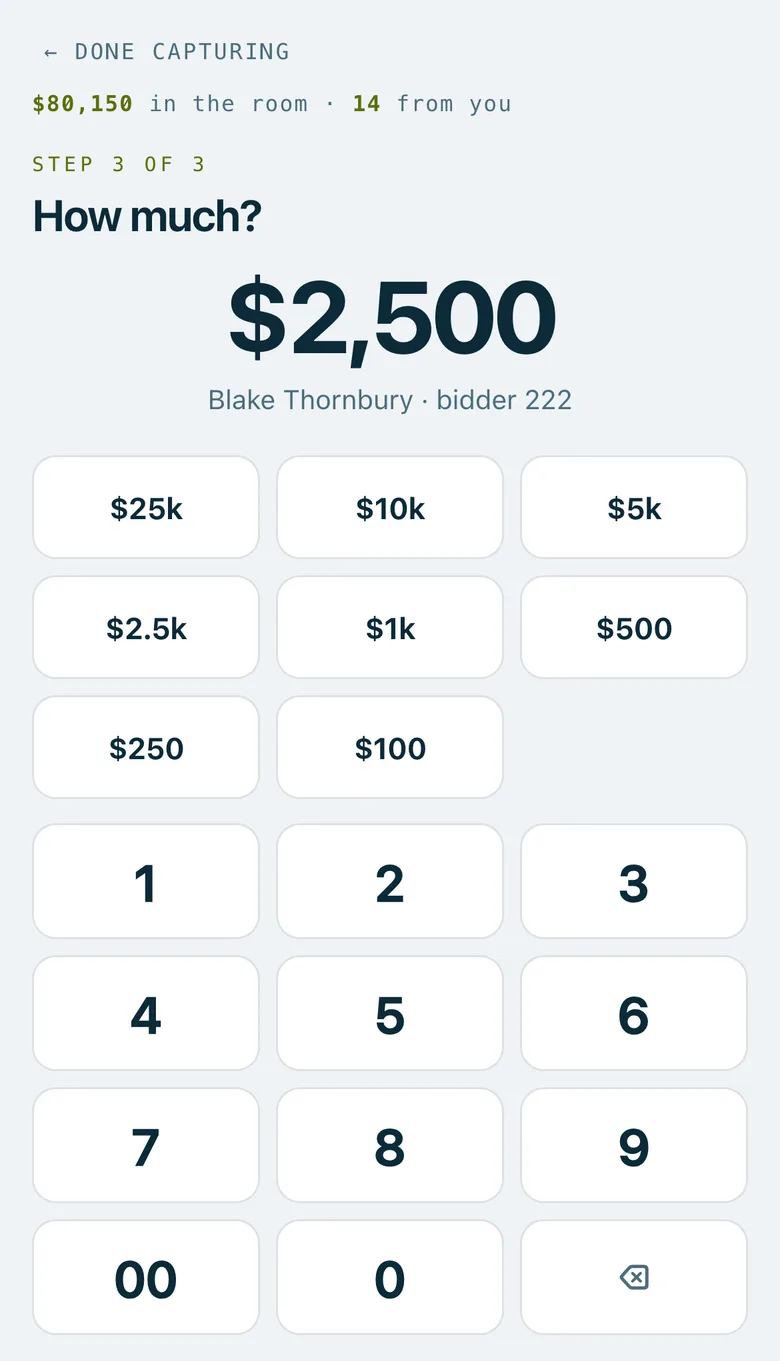
- How much? Tap one of the preset amounts, or type the amount on the keypad, then press Review pledge.
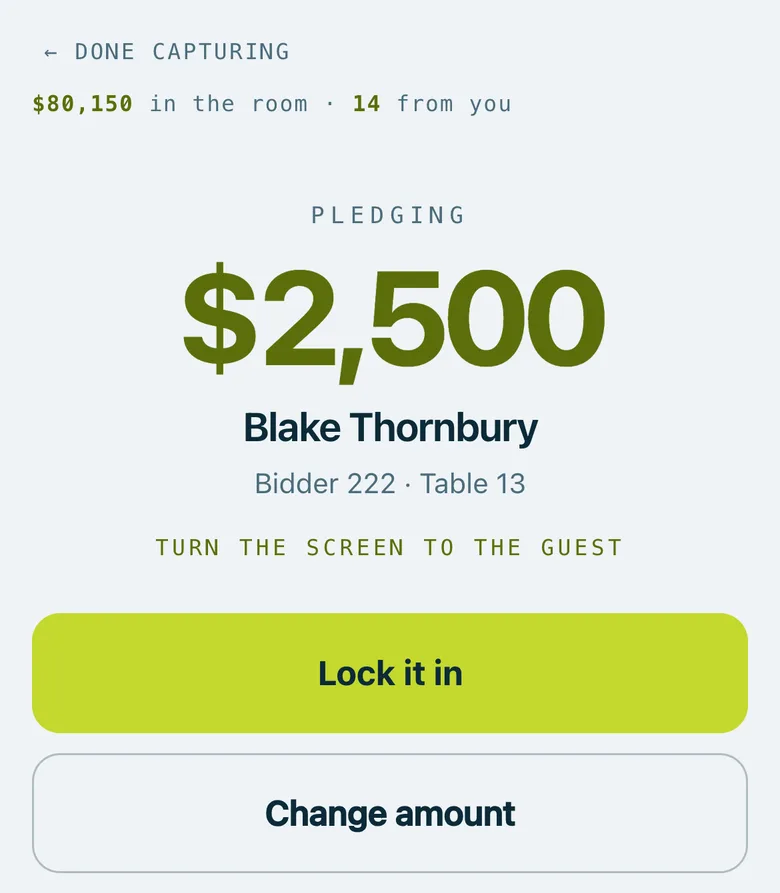
- Turn the screen to the guest. They see the amount in large type with their name, number and table.
- Press Lock it in. The screen says Pledge locked in, and you're ready for the next paddle.
Mistakes caught early
- Possible double tap. If the same guest made a pledge in the last few minutes, the screen warns you before you take another. Only go on if it's a new pledge.
- An extra zero. Above a set amount ($50,000 unless you change it), the confirm screen asks you to read the number back before you lock it in.
- Wrong amount? Press Change amount before locking it in.
Settings for pledges
Managers set these in the event's Settings, under On the night › Pledge capture:
- Preset amounts: up to 16. A new event starts with $25,000, $10,000, $5,000, $2,500, $1,000, $500, $250 and $100.
- Warn above: the amount that brings up the extra-zero warning.
- Duplicate window: how many minutes count as a possible double tap (6 to begin with).
- Let collectors void their own pledges: off unless you switch it on.
- Anonymous guest: lets managers record a pledge as Anonymous for a donor who doesn't want their name shown.
Good to know
Pledges are taken while the event is Live. Before that, collectors can look guests up, but nothing locks in.
Managers and owners can Amend, Void or Restore any pledge on the Pledges screen. A voided pledge stays on the list, marked as voided. Export CSV downloads every pledge as a spreadsheet.
Collectors see their own pledges and the total raised in the room, never other collectors' amounts or guests' contact details.
Real screenshots of Paddlit, taken with a made-up organisation, Maple & Main Children's Fund.
Thanks for telling us.
Sorry it didn't. Sign in and get help, or ask without signing in.