Set up online giving
Give your event a donation page, show its QR code on the big screen and table cards, and choose what counts toward the total.
Each event can have its own donation page, in your colours. Guests give with Apple Pay, Google Pay or a card, from their seat or from home, and each gift can join the total on the big screen.
Online giving needs payments set up first. If they aren't, the Giving screen says so, and owners see a Set up payments button.
Steps
- Open the event and press Open giving on the Giving card.
- Under Ways to give, switch on Online giving.
- Under Suggested amounts, press Change to choose up to four amounts, in whole dollars between $1 and $50,000. They start at $25, $50, $100 and $250.
- Under On the big screen, leave Show a QR code and the text-to-give word on to show the donation page's code next to the total.
- Under What counts toward the total, choose whether gifts, ticket sales and sponsorships count on the big screen. Pledges in the room always count.
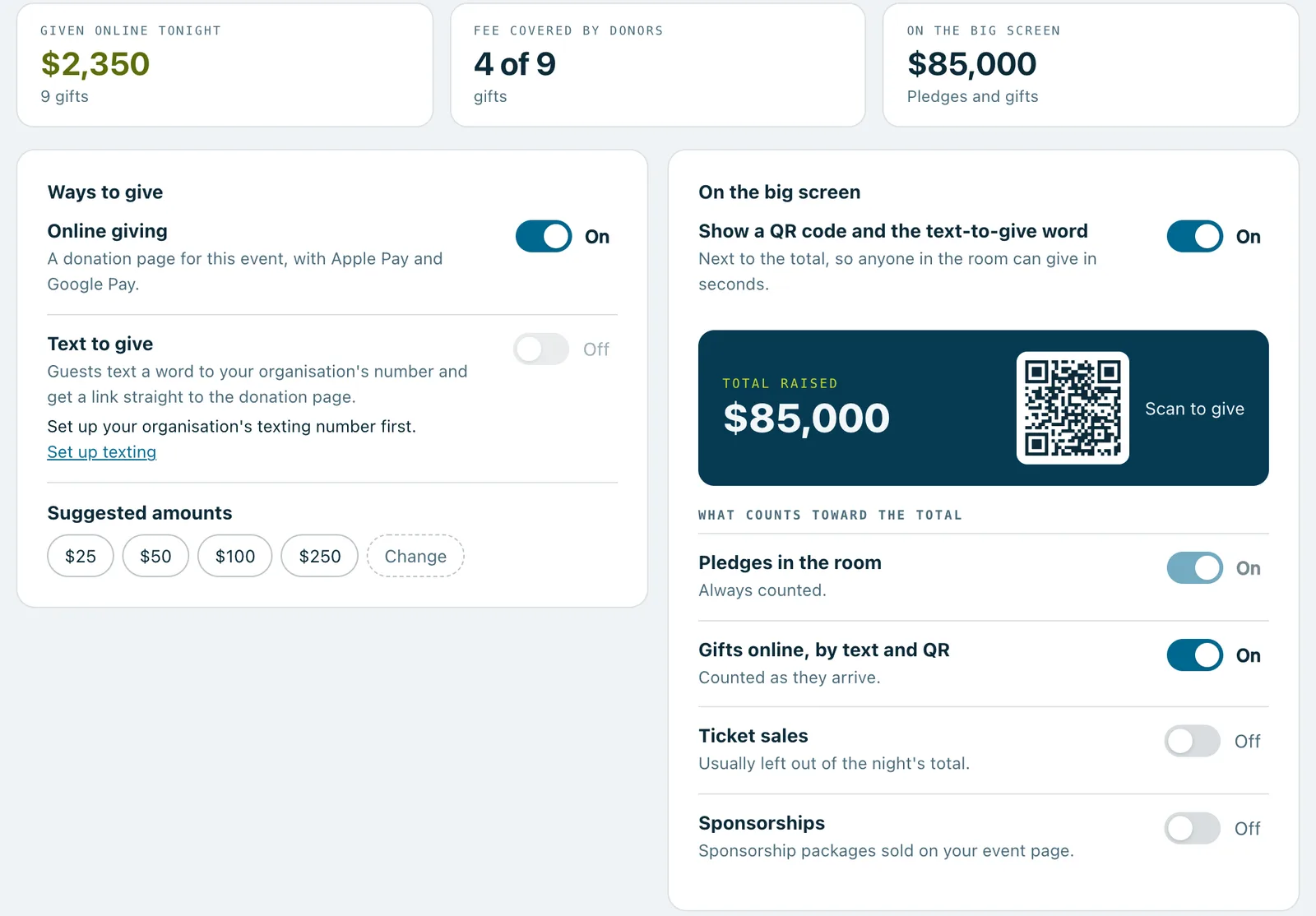
Every change can be undone straight after.
Table cards and your programme
Under For table cards and the programme, press Download the QR code to print the same donation page's code, or Open the donation page to see it as your guests will.
What donors see
Donors pick a suggested amount or type their own, can choose to cover the card fee if you offer it, and can give anonymously. They enter their name and email for the receipt, then pay.
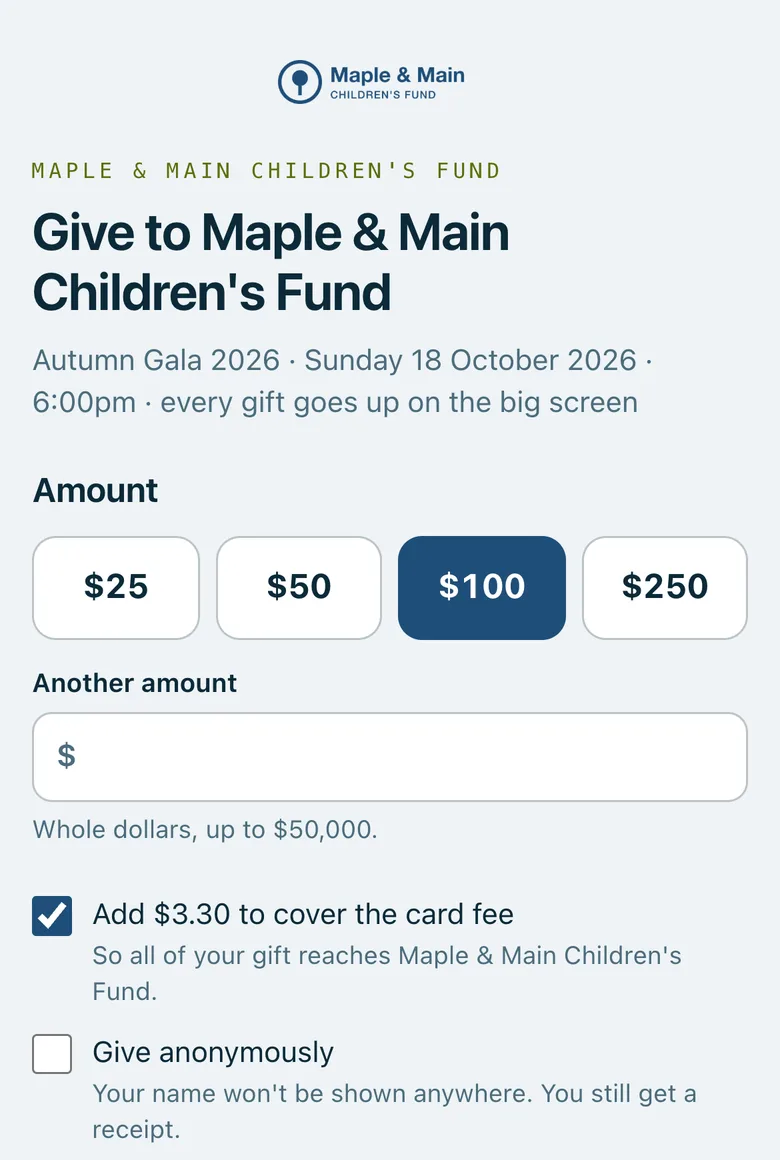
Good to know
The donation page takes gifts while the event is Open or Live. Before that it says giving isn't open yet, and after the event it says the event has finished.
When someone gives anonymously, the big screen shows Anonymous instead of their name. Your team still sees who gave, and the donor still gets a receipt.
Open a gift under Recent gifts to Send the receipt again. Owners, and managers an owner has allowed, can refund it there too; a refunded gift comes off the total.
On plans with texting, Text to give lets guests text a word to your organisation's number and get the donation page straight back.
Real screenshots of Paddlit, taken with a made-up organisation, Maple & Main Children's Fund.
Thanks for telling us.
Sorry it didn't. Sign in and get help, or ask without signing in.