Connect payments so money reaches your bank
Set up taking cards once, in about ten minutes, so donations, tickets and pledges are paid into your own bank account.
To take cards for donations, tickets and pledges, an owner sets up payments once for your organisation. Stripe, Paddlit's payment partner, checks who you are and pays the money into your own bank account.
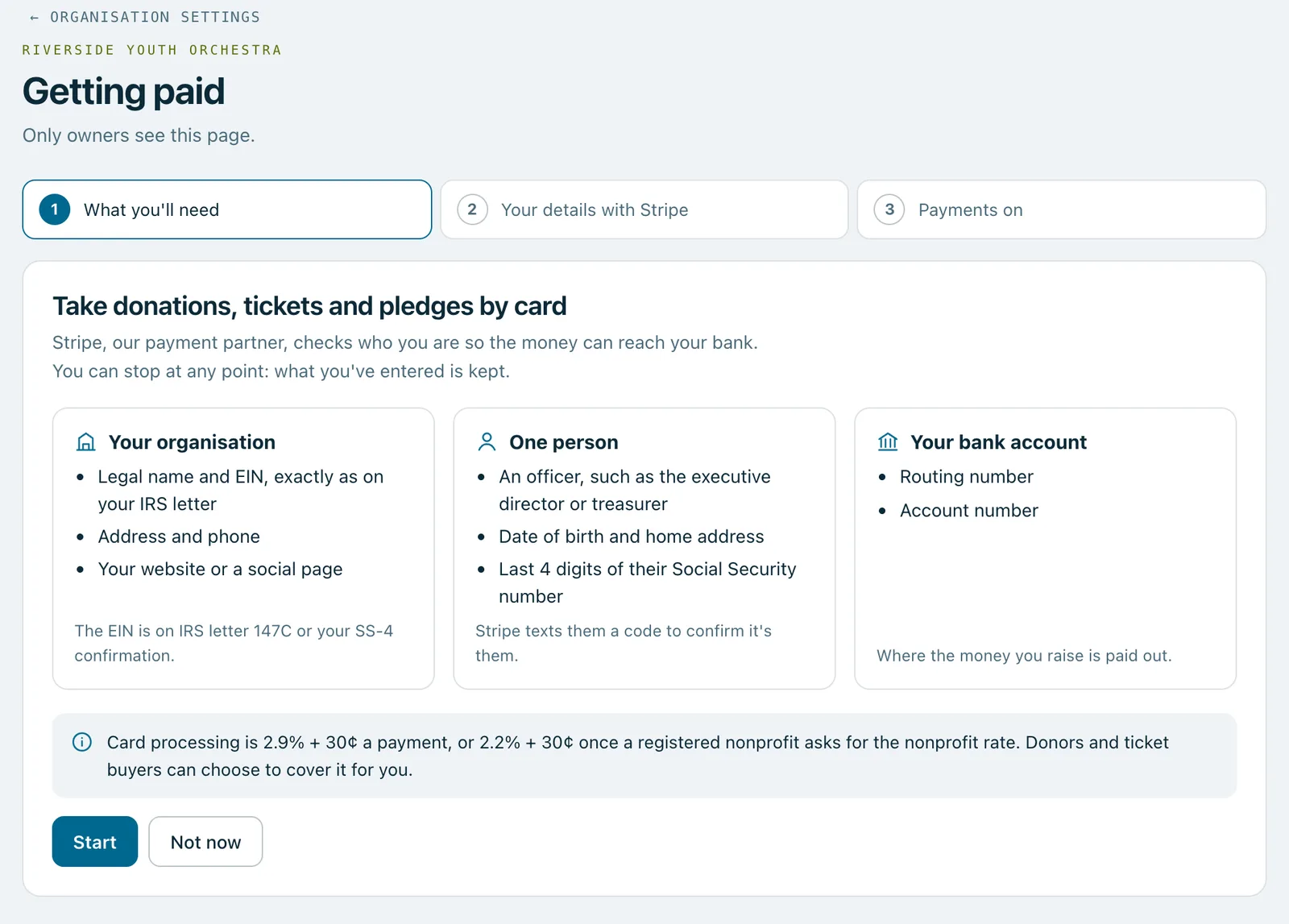
What you'll need
- Your organisation: its legal name and EIN, exactly as on your IRS letter, its address and phone, and your website or a social page. The EIN is on IRS letter 147C or your SS-4 confirmation.
- One person: an officer, such as the executive director or treasurer, with their date of birth, home address and the last 4 digits of their Social Security number. Stripe texts them a code to confirm it's them.
- Your bank account: its routing number and account number.
Steps
- Go to Organisation settings and press Set up payments under Getting paid.
- Read what you'll need, then press Start.
- Fill in Stripe's form, which opens inside Paddlit with help beside it. Can't find something? Press Finish later: everything you've entered is kept, and the button becomes Carry on setting up.
- When you finish, the page says Payments are on. If it says Stripe is checking your details, that usually takes a minute or two, and you can leave the page meanwhile.
Your Social Security number and full bank account number go to Stripe only. Paddlit never sees them.
After it's on
The Getting paid page shows your payouts, card fees and receipts.
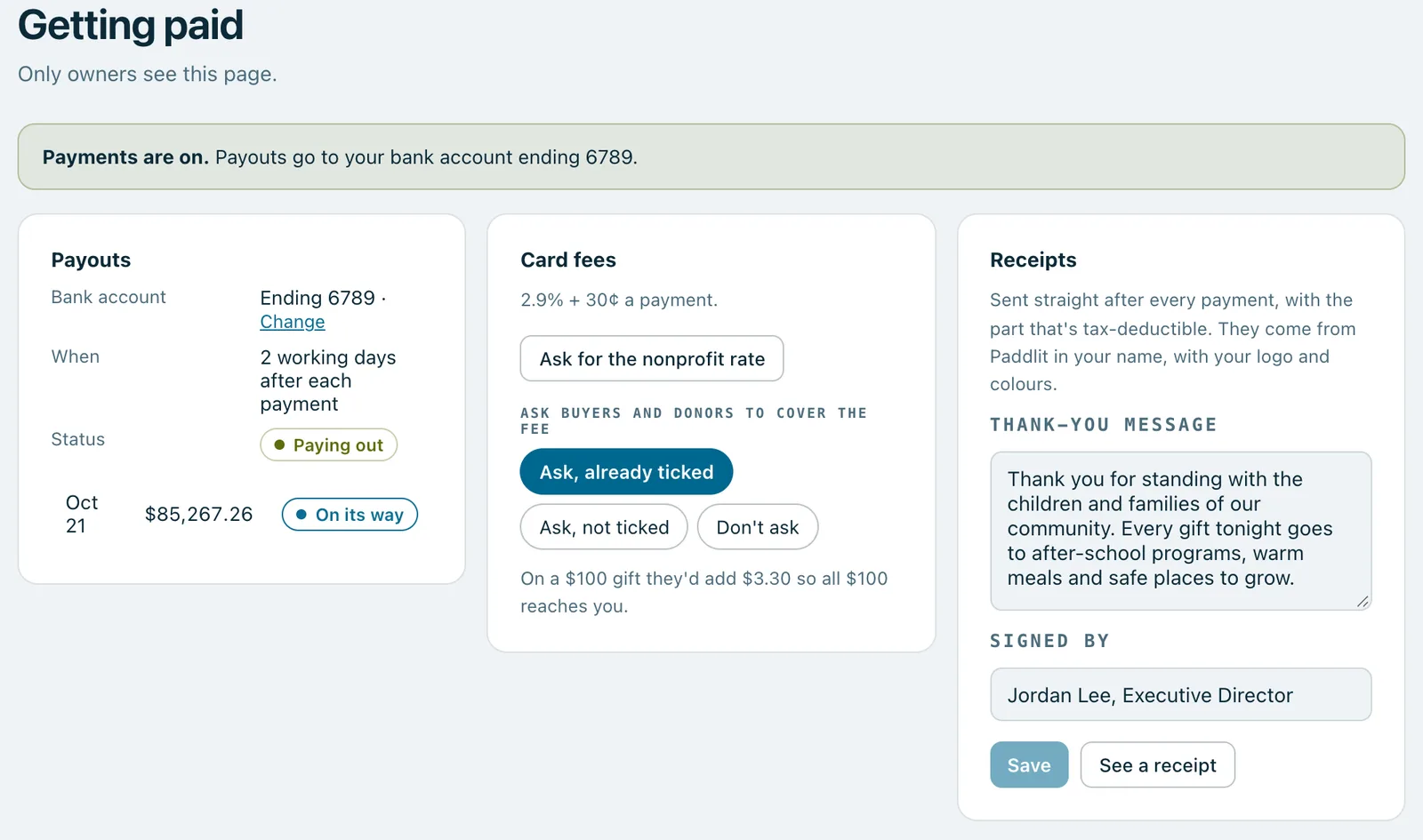
- Payouts: the bank account the money goes to (press Change to use another), when payouts happen, and each recent payout. Until Stripe has checked your details, payments you take are kept safe and paid out together once the checks are done.
- Card fees: 2.9% + 30¢ a payment. A registered nonprofit can press Ask for the nonprofit rate to ask for 2.2% + 30¢, once its nonprofit status is checked.
- Ask buyers and donors to cover the fee: choose Ask, already ticked, Ask, not ticked or Don't ask.
- Receipts: your thank-you message and who it's signed by.
Good to know
If Stripe needs something more later, the Getting paid page says what and by when, with an Add it now button.
Only owners see the Getting paid page. Managers can't set up payments; their screens say an owner sets them up in Organisation settings.
Real screenshots of Paddlit, taken with a made-up organisation, Maple & Main Children's Fund.
Thanks for telling us.
Sorry it didn't. Sign in and get help, or ask without signing in.