Event reports
Eight report pages for every event, from the overview for your board to the paddle raise and who didn't come.
Every event has its own reports. Managers of the event and owners can open them; door volunteers and pledge collectors can't.
Open a report
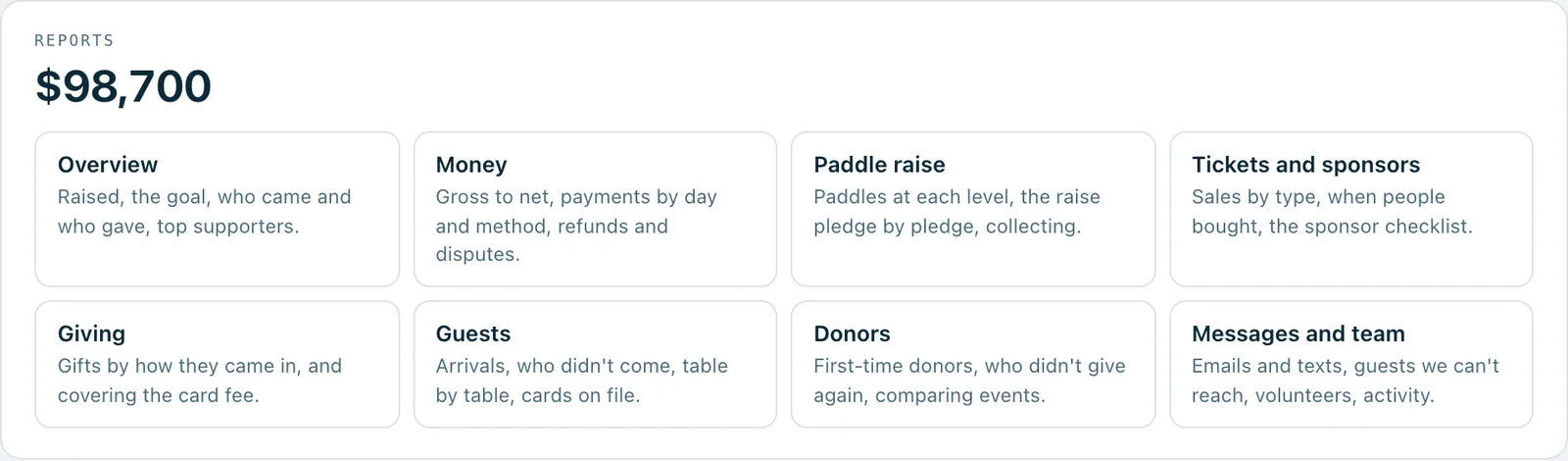
- Open the event. The Reports card lists every report page, with a line about what's on it.
- Press the page you want.
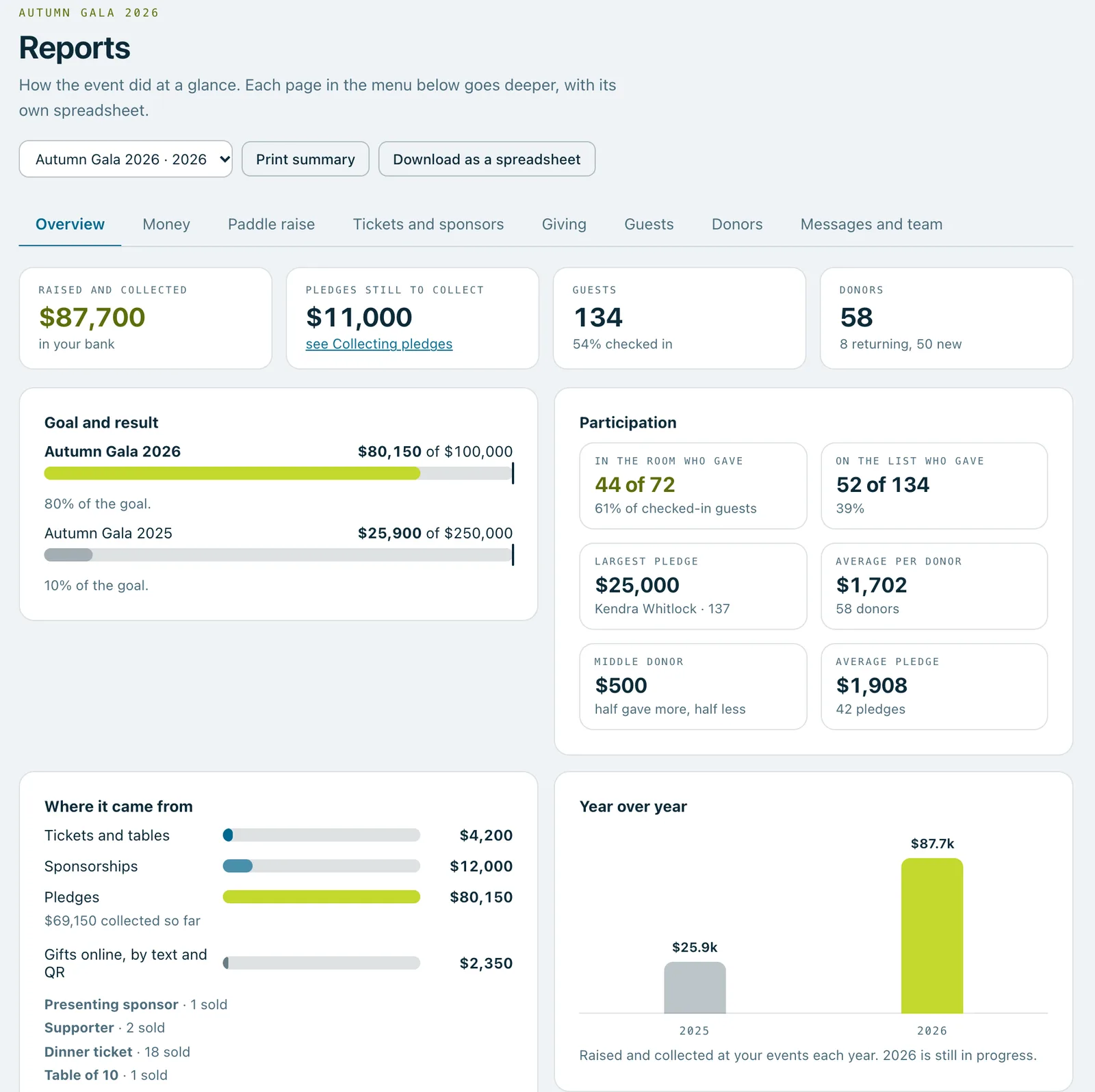
- To move to another page, use the menu at the top of the report.
The pages
- Overview: raised, the goal, who came and who gave, top supporters.
- Money: gross to net, payments by day and method, refunds and disputes.
- Paddle raise: paddles at each level, the raise pledge by pledge, collecting.
- Tickets and sponsors: sales by type, when people bought, the sponsor checklist.
- Giving: gifts by how they came in, and covering the card fee.
- Guests: arrivals, who didn't come, table by table, cards on file.
- Donors: first-time donors, who didn't give again, comparing events.
- Messages and team: emails and texts, guests we can't reach, volunteers, activity.
For your board and your accountant
- On the Overview, Print summary prints the Overview on its own, ready for a meeting.
- Download as a spreadsheet downloads the page you're on. It comes with plans that include donor history; on other plans, the button says which plan has it.
- On every plan, Export CSV on the event's Pledges screen downloads every pledge.
Good to know
Owners on plans with donor history can switch between events at the top of a report and stay on the same page, so last year's paddle raise is one click from this year's.
Anonymous gifts stay anonymous in the reports and the spreadsheets.
Real screenshots of Paddlit, taken with a made-up organisation, Maple & Main Children's Fund.
Did this help?
Thanks for telling us.
Sorry it didn't. Sign in and get help, or ask without signing in.