Hand over a shared tablet with a volunteer PIN
At shift change, the next volunteer taps Switch volunteer and enters their own four-digit PIN, so everything stays under the right name.
When volunteers share one tablet or phone, each of them signs in on it once with a code. After that, they swap in and out with their own four-digit PIN, and every check-in and pledge is saved under the name of whoever is switched in.
Choose your PIN
Door volunteers and pledge collectors are asked to choose a PIN the first time they sign in with a code.
- Sign in with your email and code as usual, on the shared device.
- On Choose a 4-digit PIN, type four digits, then type them again.
- Press Save PIN.
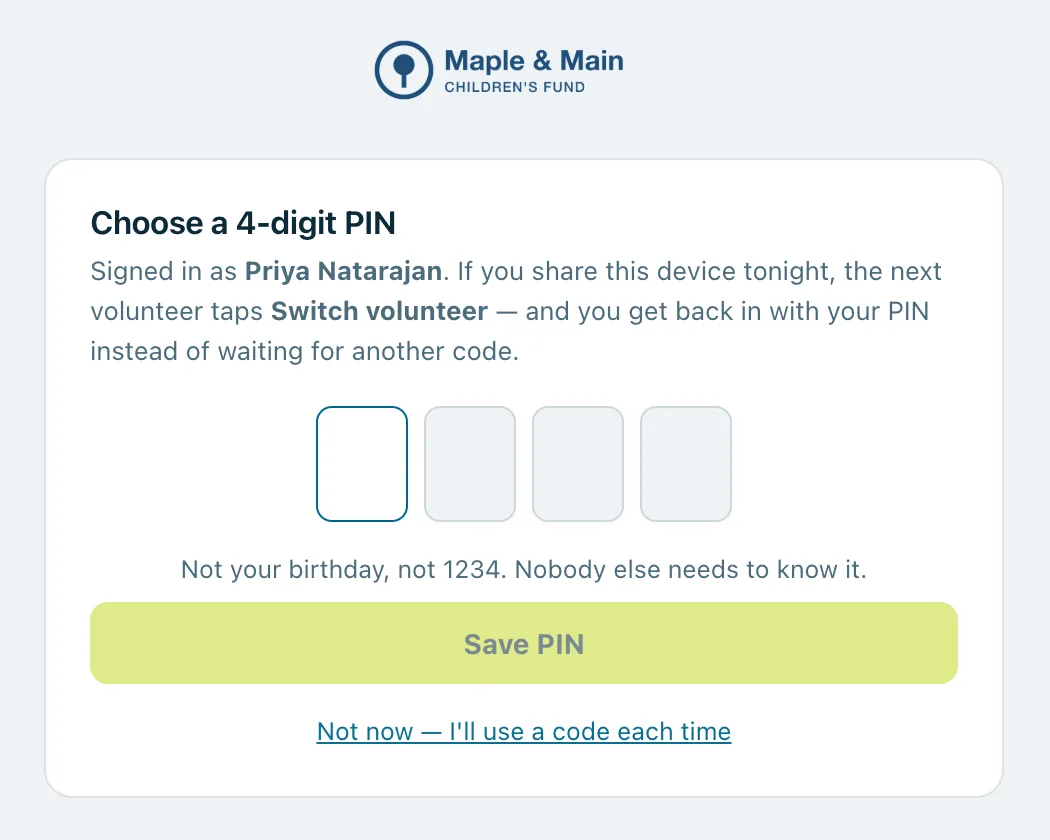
Don't use your birthday. PINs that are too easy to guess, such as 1234 or 1111, are turned down. Prefer not to have a PIN? Press Not now — I'll use a code each time.
Hand over at shift change
- Press Switch volunteer at the top of the screen.
- Under Who's taking over?, tap your name.
- Enter your PIN. You're straight back on your screen (if you have more than one role on the event, choose which first).
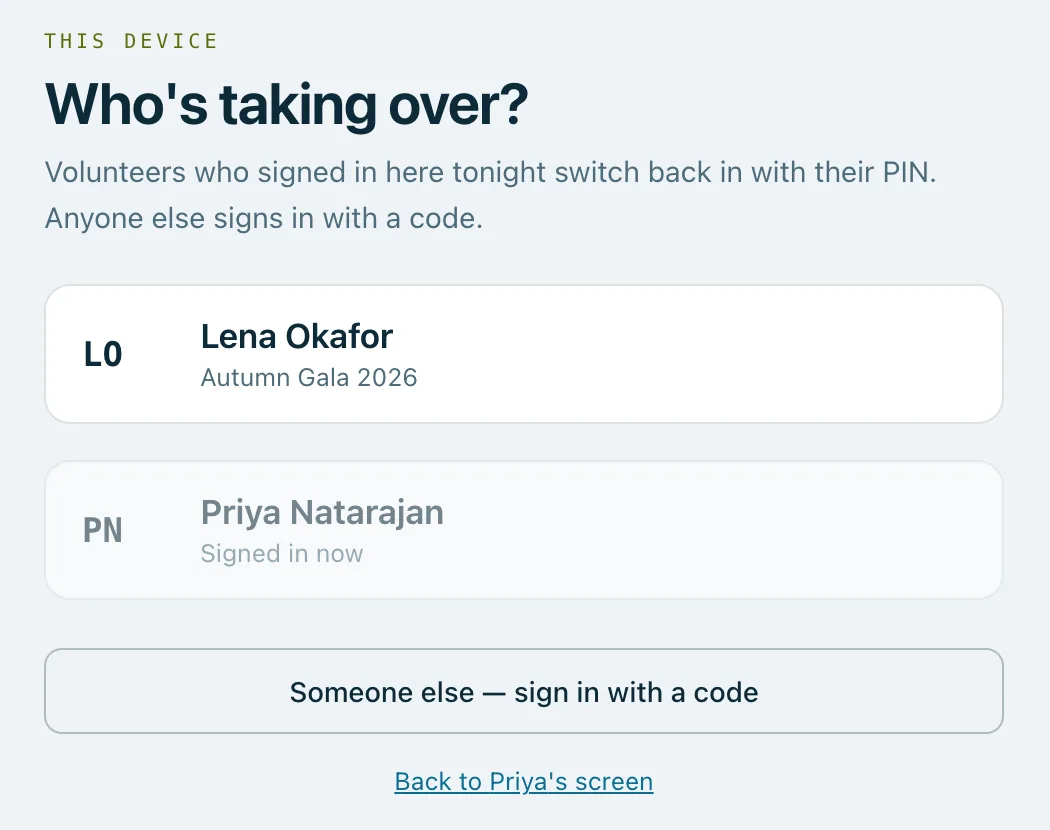
Your name is listed if you've signed in on this device with a code that night. If it says No PIN set — sign in with a code, or your name isn't there, press Someone else — sign in with a code.
Good to know
- Five wrong PINs, and that person has to sign in with a code again.
- Forgotten your PIN? Press Forgot it — sign in with a code.
- Your PIN only works on a device where you've already signed in with a code that night.
- Handing over clears what can be undone, so finish what you're doing first.
Nobody else needs to know your PIN. Everything done while you're switched in is recorded under your name.
Real screenshots of Paddlit, taken with a made-up organisation, Maple & Main Children's Fund.
Thanks for telling us.
Sorry it didn't. Sign in and get help, or ask without signing in.