Check guests in by day
For events over several days or with sub-events, each door checks guests in for one of them at a time.
When an event has days and sub-events, such as a welcome dinner, a golf morning and a gala, each door screen checks guests in for one of them at a time.
Steps
- Open the door screen. If it says Choose what you're checking people in for, tap the day or sub-event near the top. The screen then says Checking in for: with its name, day and time.
- Search for guests and check them in as usual. The counts are for the one you chose: On the list, Checked in, and Let in anyway once anyone has been.
- To switch to another day or sub-event, tap it under Switch to.
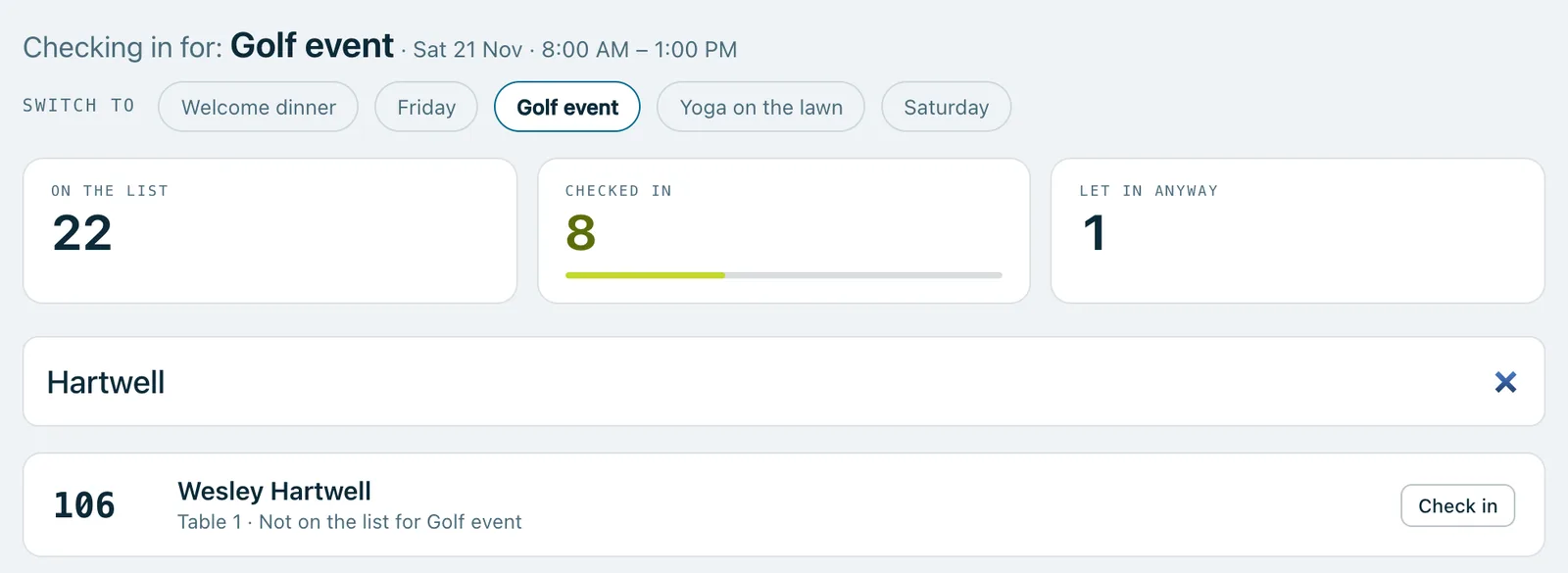
A guest who isn't on the list
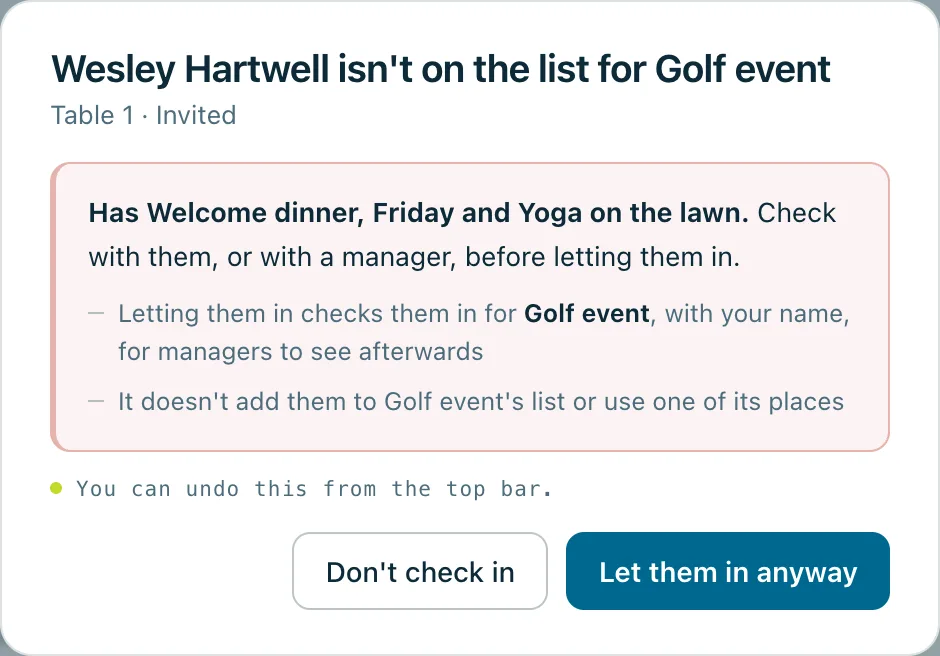
If you try to check in a guest who isn't on the list for the day or sub-event you chose, the screen warns you first and says what they do have, such as "Has Welcome dinner, Friday and Yoga on the lawn". Check with them, or with a manager, then choose:
- Don't check in, or
- Let them in anyway. This checks them in for it, with your name, for managers to see afterwards. It doesn't add them to its list or use one of its places.
Good to know
Each device remembers its own choice for the event, so the tablet at the golf course stays on golf. The first time a device opens the door, it starts on today's day or sub-event when only one is on today. Otherwise it asks you to choose.
Walk-ups added at the door are checked in for the day or sub-event the door is on, and put on its list too, unless it's full: then they're let in anyway.
Undoing or reversing a check-in is for one day or sub-event at a time. A guest who's still checked in for another stays checked in for that one.
Real screenshots of Paddlit, taken with a made-up organisation, Maple & Main Children's Fund.
Thanks for telling us.
Sorry it didn't. Sign in and get help, or ask without signing in.