Add a walk-up at the door
When a guest isn't on the list, add them and check them in with a number from your walk-up block.
When someone arrives who isn't on your guest list, your door volunteer can add them on the spot. They're checked in straight away, with a number from your walk-up block.
Walk-ups are switched on or off for each event, in its Door settings. A new event starts with them on.
Turn walk-ups on or off
A manager or owner does this before the night:
- Open the event and choose the Settings tab.
- Go to On the night › Door.
- Switch Allow walk-ups on. While it's on, Walk-up number block sets the numbers walk-ups get.
- Press Review & save, then Save changes.
When walk-ups are off, the door screen doesn't offer to add them.
Add a walk-up
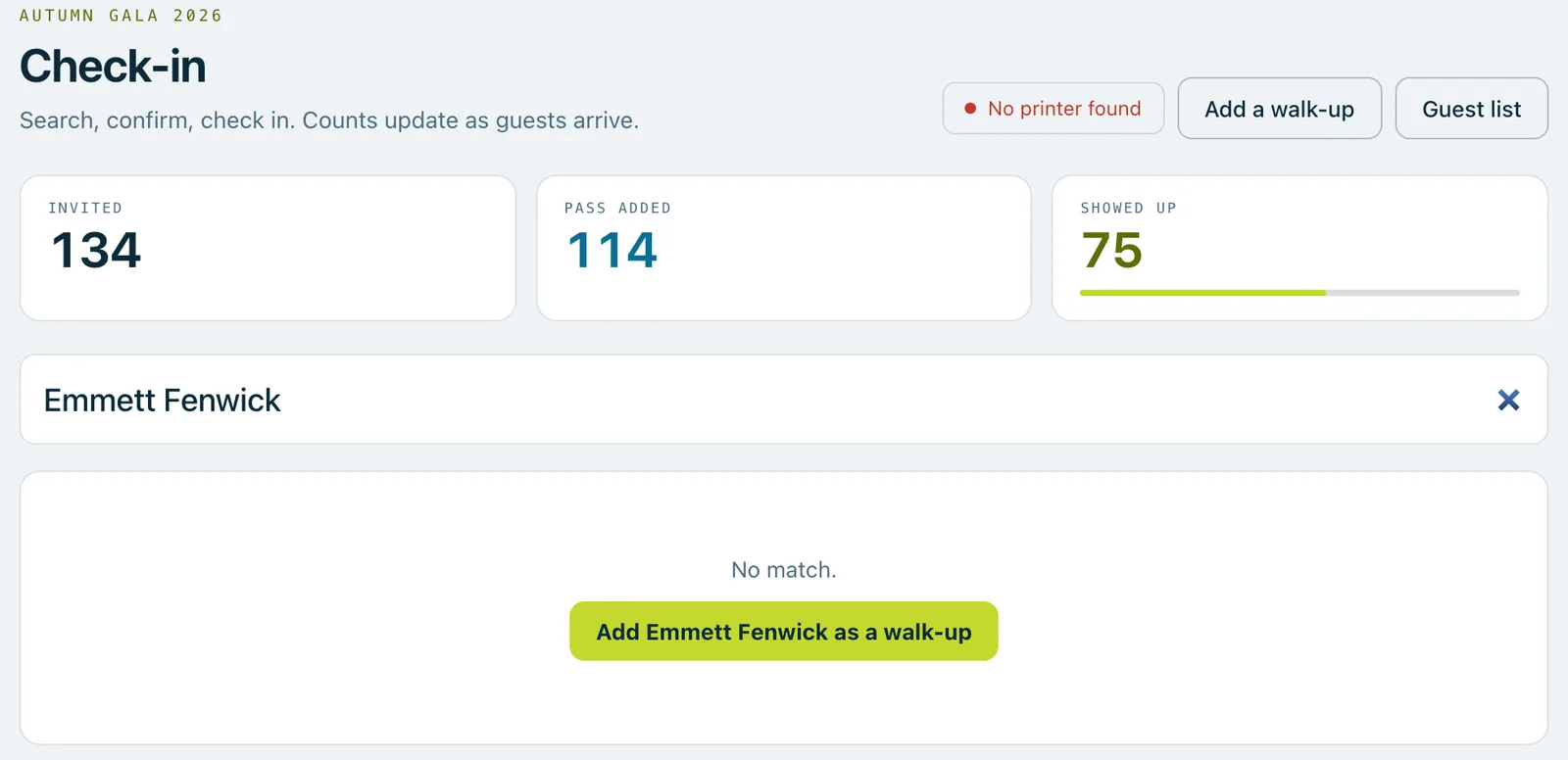
- On the door screen, type the guest's name in the search box. If nobody matches, the screen says No match and offers Add … as a walk-up, with the name you typed. You can also press Add a walk-up at the top of the screen.
- Check their first and last name. Add an email address if they have one, and a table if the event uses tables.
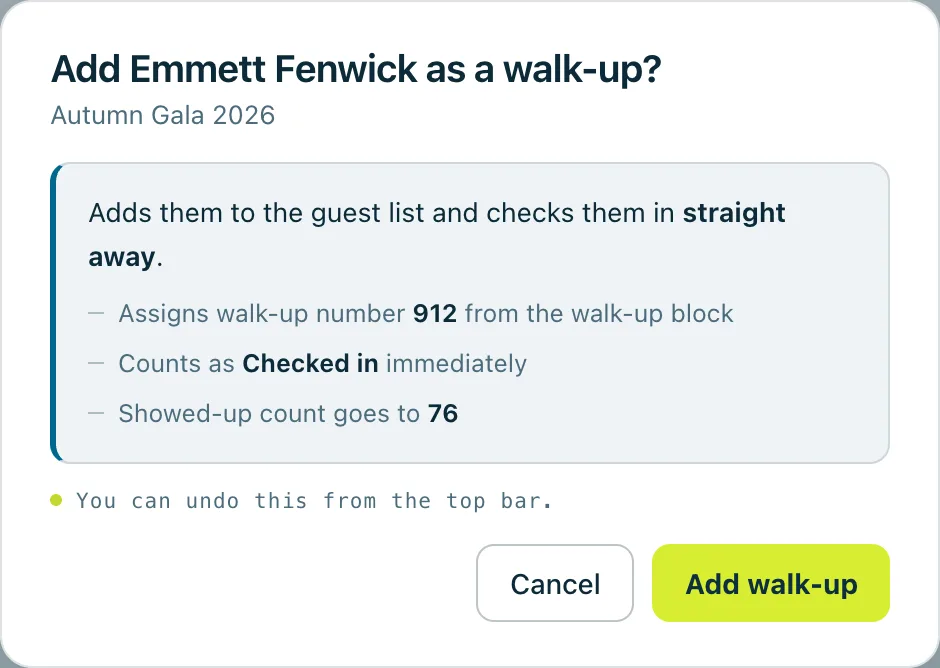
- Press Continue. The next box shows the walk-up number they'll get.
- Press Add walk-up. The guest is added to the guest list and checked in at once, and the screen shows their number, name and table, big enough to read out.
Good to know
Walk-up numbers run from 900 to 949 unless a manager chooses another block. The block is kept apart from your other bidder numbers, so walk-ups are easy to spot afterwards.
The door screen shows how many walk-up numbers are left, under Worth knowing before the rush. When they're running low, it says to tell a manager now. If none are left, the walk-up is still added, without a number, and the screen says no walk-up number is available.
When walk-ups are on for the event, your plan's guest limit never stops a walk-up. Walk-ups still count in your guest figures.
Walk-ups are added once the event is live. Before that, the Add a walk-up button can't be pressed.
If the email address you type already belongs to another guest, the screen asks how to go on: Use a different email, or Add without an email.
Added the wrong person? Press Undo on the message that appears straight after, and the walk-up comes off the guest list.
Real screenshots of Paddlit, taken with a made-up organisation, Maple & Main Children's Fund.
Thanks for telling us.
Sorry it didn't. Sign in and get help, or ask without signing in.