Find and check in a guest
Search by name, bidder number or table, then check the guest in with one tap.
The door screen is where guests are checked in as they arrive. Door volunteers land on it as soon as they sign in. Managers and owners open the event, then press Open door on the Door card.
Steps
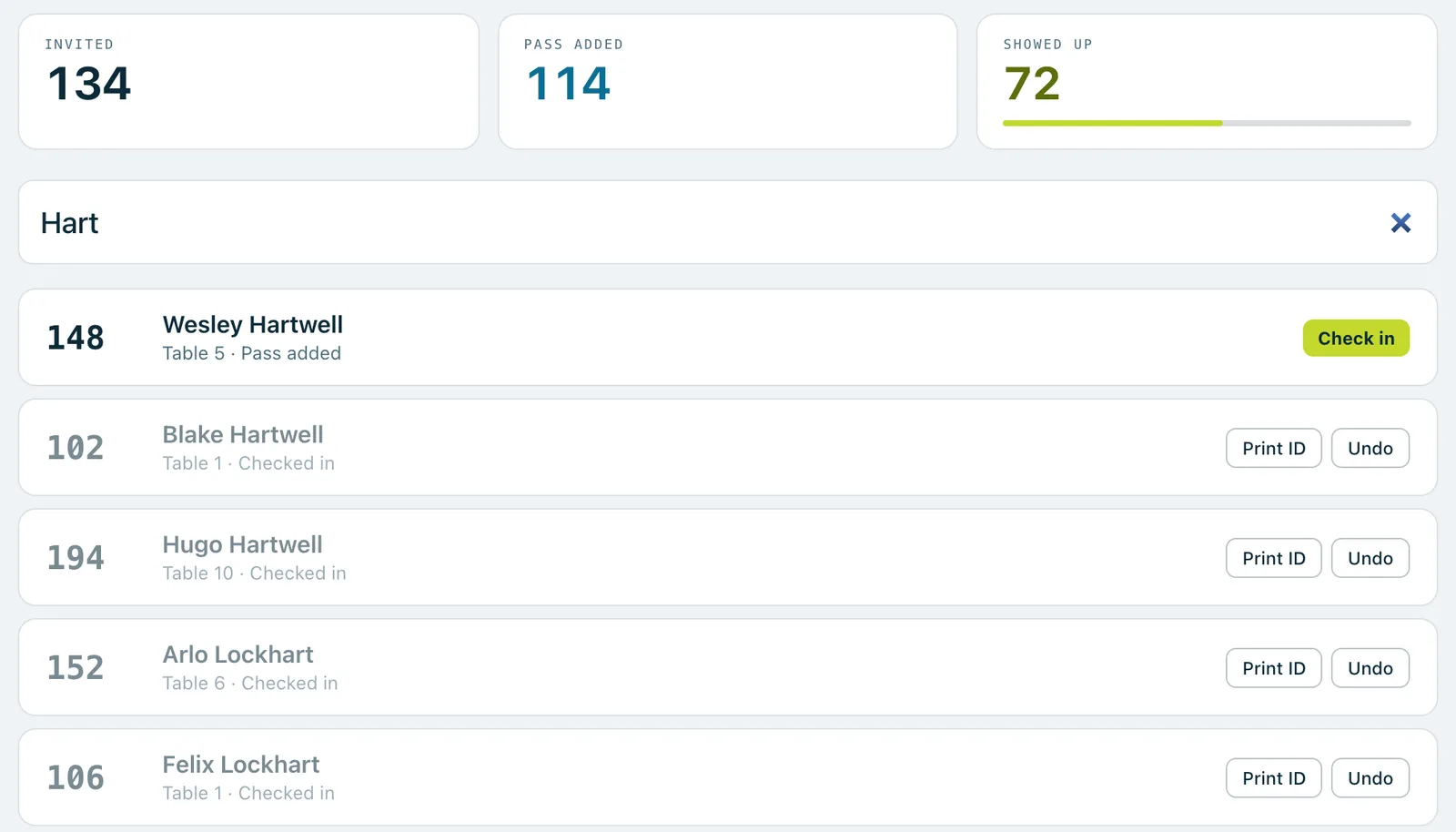
- Start typing in the search box at the top: a few letters of the guest's name, the start of their bidder number, or their table number. The box is ready as soon as the screen opens.
- Find the guest in the list and tap Check in on their row. Guests who are already checked in are shown at the bottom.
- Check the details and tap Check in again to confirm. The confirm box says which bidder number they'll have.
- The screen fills with the guest's bidder number, name and table, big enough to read out. Tap it to close it, or wait a moment.
Their bidder number
- A guest who already has a number keeps it.
- A guest without a number is given the next free one in your range, as long as Assign a number at check-in if missing is on in the event's settings (it's on to begin with). The card in their phone wallet updates to show it.
- If that setting is off, the confirm box says no number is assigned at the door, and a manager gives them one from Bidder numbers.
Faster on a laptop
- Press / anywhere on the page to jump back to the search box.
- Press Enter to check in the top match.
- Press Esc to clear the search.
Good to know
Check-in opens when the event is set to Live. Before that, the door can search the list but nobody can be checked in, and the screen says so.
If two guests share a bidder number as a household, finding any of them asks Who's with them today? Tick everyone who's there, and each one is checked in on their own.
In a long queue, a manager can switch off Confirm each check-in in the event's Settings, under On the night › Door. Then one tap checks a guest in. Undo still works either way.
Before anyone searches, the screen shows the most recent check-ins and a short note, Worth knowing before the rush: how many guests haven't added their pass, and how many walk-up numbers are left.
Door volunteers see guests' names, bidder numbers, tables and whether they've added their pass. They don't see email addresses or phone numbers.
Real screenshots of Paddlit, taken with a made-up organisation, Maple & Main Children's Fund.
Thanks for telling us.
Sorry it didn't. Sign in and get help, or ask without signing in.